
Appearance
Map
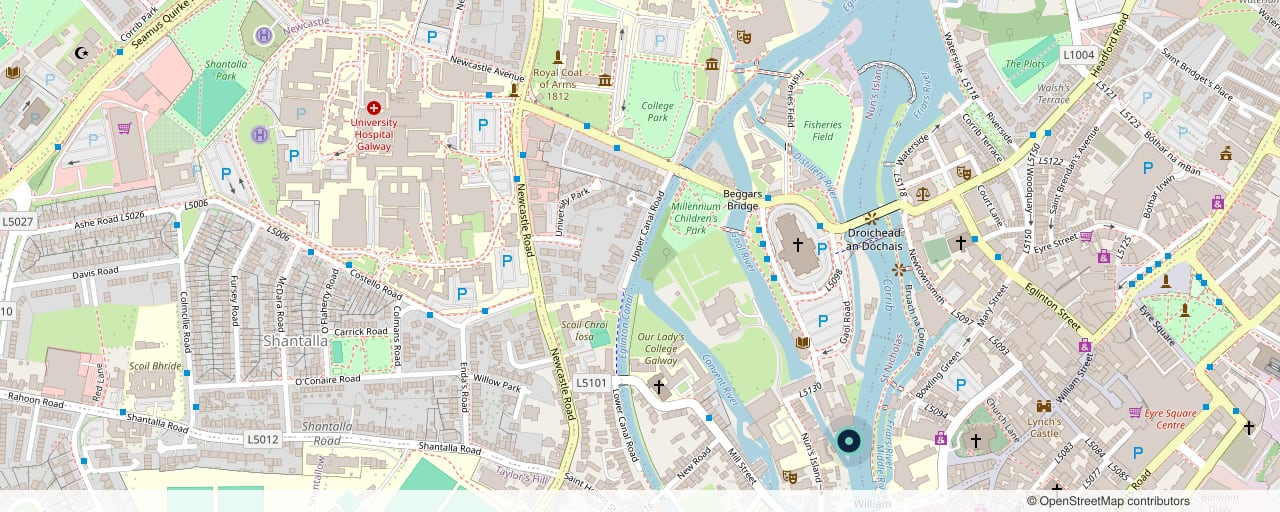
Where you are, as a picture of a map you upload — plus your address, your opening hours, and a "Get directions" link that opens a real, routable map.
The theme never loads a map from the internet. Nothing is embedded, nothing is tracked, and the map cannot slow your page down. When a visitor actually wants to navigate, they tap Get directions and land in their own map app, with routing from wherever they are.
Try it
←Map
Stands in for the image picker on this page. Clear it to see the section with no map uploaded.
Where "Get directions" sends visitors — paste the share link from your listing on any map service. It opens in a new tab, so nobody loses your page. Leave it empty and no link appears.
Shown above the address, and used as your business name in search-engine results.
Storefront preview
Uisce Design Studio
12 Nun's Island StreetGalway, H91 X4RD
Galway, Ireland
Opening hours
- Monday – Friday
- 9:00 – 17:30
- Saturday
- By appointment
- Sunday
- Closed
Nothing here talks to a map service — the map is a picture. Clear the Directions link and the link disappears rather than going nowhere.
How it works
Why an image, and not an embedded map
An embedded map is a live window into someone else's website. It loads their code on your page, it reports every one of your visitors to them before anyone has even looked at it, and it costs you page speed on a section most people scroll straight past.
A picture costs none of that, and a visitor who genuinely wants directions is better served by their own map app than by a small embedded square they have to pinch and drag. So: you upload the picture, and the link takes them somewhere that can actually navigate.
Getting your map image
Open your business's listing on any map service, frame the view you want, and take a screenshot — or use that service's export/share-image option if it has one. Upload it as Map image.
Check the licence on whatever map you screenshot. Most map services require you to credit them when you show their map, and some don't allow it at all. The credit usually has to be visible in the picture itself. (The demo store's map is built from OpenStreetMap, whose "© OpenStreetMap contributors" credit is part of the image.)
The image is cropped to a letterbox, taking the middle — 16:9 on phones and tablets, wider still on a desktop where the address card sits over it. Keep your pin near the centre, and keep any credit line away from the very edge or the crop can shave it off.
The directions link
Directions link is where "Get directions" sends people. Open your listing on your map service and copy its share link. It opens in a new tab, so nobody loses your page — and a visitor using a screen reader is told that before they follow it.
Leave it empty and no link appears. Leave the Map image empty and no map appears — the address card simply takes the full width, and the section still does its job.
Before you have filled anything in
A section you have just added has nothing to show, so it shows nothing: until it has an address, opening hours, a map image or a directions link, it is hidden on your storefront rather than printing an empty band across the page. In the theme editor you still see it, with a one-line reminder of what it needs.
Settings
| Setting | What it does |
|---|---|
| Map image | The picture of your map. Optional — without it, the address card stands alone. |
| Directions link | Where "Get directions" opens. Optional — without it, no link is shown. |
| Business name | Shown above the address, and used as your business name in search results. |
| Address line 1 / 2, City, Country | The address, as real text. |
| Color scheme | Which of your theme's colour schemes the section uses. |
Add an Opening hours block per day. Leave a day's hours empty and it shows as Closed — which is information, so it is never a blank row.
Search engines
The address card carries LocalBusiness and PostalAddress structured data — your business name and your address, in the form a search engine reads. That is why the address belongs in these fields as text rather than baked into the picture.
Your opening hours are not part of that markup, and that is deliberate. The structured-data format for opening hours is a fixed machine grammar — Mo-Fr 09:00-17:30 — and Day and Hours here are free text in whichever language and format suits you ("Monday – Friday", "By appointment", "月曜日"). Publishing free text as machine hours produces an invalid value, which a search engine reports as an error and which can cost the whole page its rich result. The hours still read perfectly to a visitor; they just are not claimed as data the theme cannot honestly produce.
Accessibility
The map image is marked decorative and skipped by screen readers. That's deliberate: a picture of a map is useless to someone who can't see it, and everything it shows — the name, the street, the hours — is right beside it as real text. The address card keeps its own solid backing, so it stays readable over a bright street map or a dark satellite export alike.